How it works
Upload a lesson
Any video file up to 2 GB, or from Google Drive or Dropbox. Tick Private processing for paid material.
Pick the shape
Vertical for a talking head; square or landscape when the lesson is on a screen or a whiteboard.
Post the clip, link the course
Each clip is a complete lesson moment. Put the course link in the post text.
Free previews without giving the course away
A good preview clip answers one small question completely and leaves the big one for the course. legit2clip picks moments that stand on their own and cuts on whole sentences, so the clip teaches something real without trailing off mid-lesson.
For lessons people paid for, tick Private processing: the whole job runs only on our own servers, at twice the normal price.
What a course costs
A 15-minute lesson costs 70 credits ($0.70); a 2-hour live workshop 490 credits ($4.90). Ten 20-minute lessons come to 900 credits ($9.00), half that on Pro. Your first video is free, up to 60 minutes long.
Tips for teaching on camera
- A clip-on or headset microphone: clips are picked from the transcript.
- Say the point before you show it: the clip then makes sense without the slide before it.
- Screen recordings: choose landscape or square so code and text stay readable.
- Live workshops: repeat questions from the chat out loud.
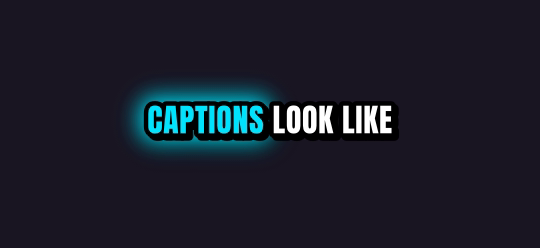
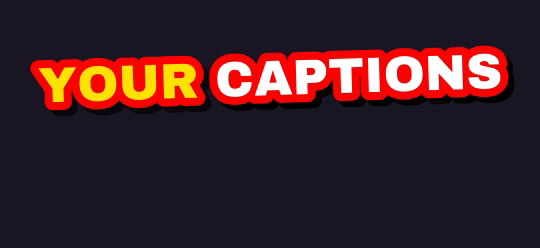
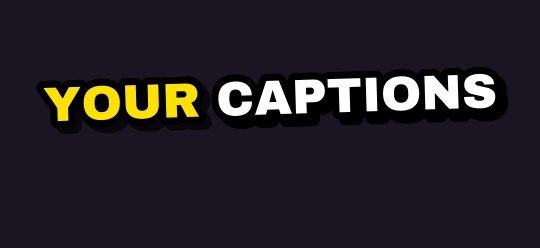
Ten caption styles, plus Auto
Rendered by the same engine that burns your clips. Pick up to four on one job.

Finish it in Studio
Type a picture, a voiceover, an original music track or a sound effect, and Studio adds it to your clip's timeline. One export, captions burned in. Every account gets 5 free AI generations a day through Black Friday, November 27.
What you get
| Free plan | Your first video is free, up to 60 minutes long. Then 1 hour of video every month, topped up monthly (it never stacks); 720p previews after your first job |
| Links | YouTube videos, Twitch and Kick past broadcasts, up to 12 hours long |
| Uploads | Any video file up to 2 GB, or pick one from Google Drive or Dropbox |
| Shapes | 9:16 for TikTok, Shorts and Reels; 1:1 for the feed; 16:9 for YouTube |
| Captions | 10 word-by-word styles plus Auto; up to 4 styles on one job |
| Watermark | Free and pay-as-you-go clips carry a small legit2clip.com mark; Pro removes it |
Questions
Will students in a live workshop show up?
Only if they are in the part of the recording a clip uses, for example in gallery view. Watch each clip before you post it.
Does it work on screen recordings?
Yes. Choose landscape or square to keep the screen whole.
What languages work?
Captions work in English, Spanish, Portuguese, French, German, Russian, Czech, Arabic and Hindi, or let it detect the language.