How it works
Paste your VOD
A Twitch or Kick past broadcast up to 12 hours long, or upload a file up to 2 GB.
Tick Streamer layout
It sits under Output Format. It applies to vertical clips; you see the price before anything runs.
Get split clips
legit2clip picks the best moments, finds your webcam box, puts it on top and the game below, and burns in the captions.
How it finds your webcam
It looks for the face that stays in one place and moves like a person, then for the edges of the box around it: a still room inside, moving game outside. If it cannot find a clear box, as on an IRL stream or with a camera tucked into a corner, that clip keeps the normal framing, which follows the speaker, instead of guessing.
Measured on real streams
On seven live gaming VODs from well-known streamers, it split four exactly and stepped back on the other three. It drew no wrong boxes: when it is unsure, you get a normal clip, not a broken one.
Works with the rest
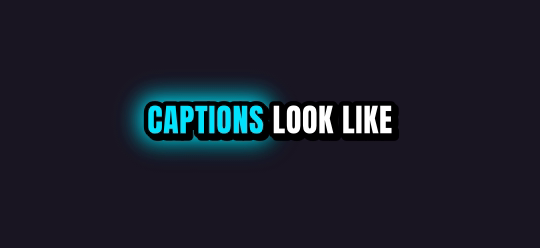
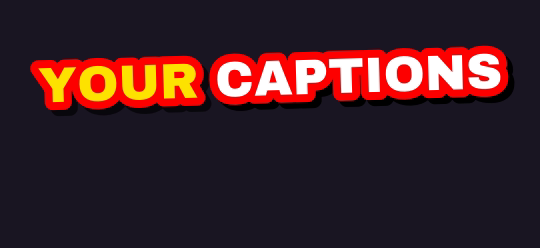
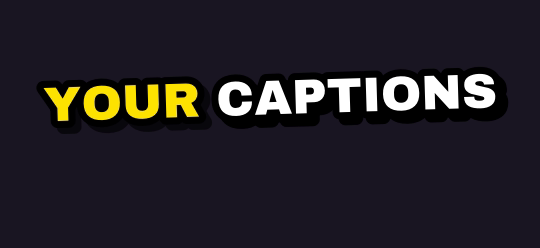
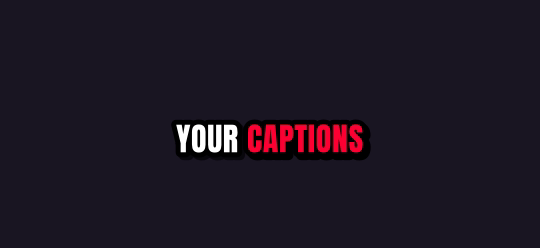
- Captions: any of the 10 styles or Auto, up to four styles on one job.
- Background music: pick a free track and it is mixed under every clip.
- Clip length and count: set them before the job runs.
Ten caption styles, plus Auto
Rendered by the same engine that burns your clips. Pick up to four on one job.
What you get
| Free plan | 5 hours of video every month, topped up monthly (it never stacks); 720p previews after your first job |
| Links | Twitch and Kick past broadcasts up to 12 hours long |
| Uploads | Any video file up to 2 GB, or pick one from Google Drive or Dropbox |
| Shapes | 9:16 for TikTok, Shorts and Reels; 1:1 for the feed; 16:9 for YouTube |
| Captions | 10 word-by-word styles plus Auto; up to 4 styles on one job |
| Watermark | Free and pay-as-you-go clips carry a small legit2clip.com mark; Pro removes it |
Questions
Does it work with any game?
It works when your webcam sits in a fixed box over the game. Full-screen cameras and IRL streams keep the normal framing.
What if a clip has no webcam?
That clip keeps the normal framing, which follows the speaker. Nothing breaks.
Does it change landscape clips?
No. The split is for vertical clips; square and landscape clips keep the full frame.
Is it free?
5 hours of video every month are free when you sign in with Discord, Google, GitHub or Twitch. Your first job is full quality; after that free clips are 720p previews with a legit2clip.com watermark, and any clip unlocks clean in full HD for 40 credits.