How it works
Upload the event
A file up to 2 GB, or a YouTube, Twitch or Kick link.
Pick the shape
Vertical for Shorts, Reels and TikTok, square for the feed.
Post with the book link
Each clip is one complete story or idea. Link the book and the next event in the post text.
The moments that sell a book
- The story behind why the book exists.
- One idea from the book, said in a minute.
- The answer to the best audience question.
- A short reading that ends on a complete sentence.
What it costs
A 1-hour author event costs 250 credits ($2.50) and is free as your first video. A library or bookstore running four events a month spends about $10.00 a month on the standard tier, half on Pro.
Before you post
- Readings: check the publisher's policy on sharing passages from the book.
- Audience faces: clips of the author are the safe default.
- Link the full event recording, if there is one, and the book.
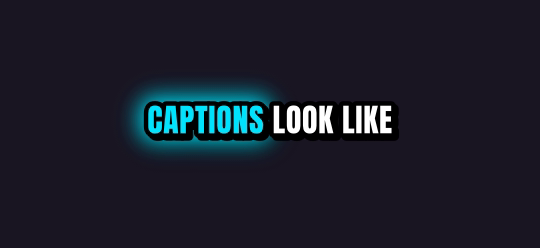
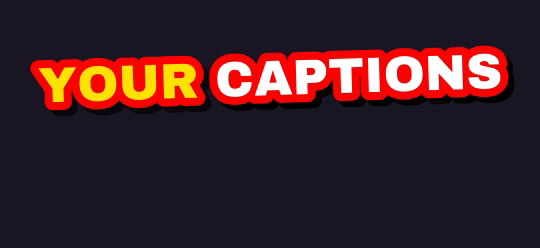
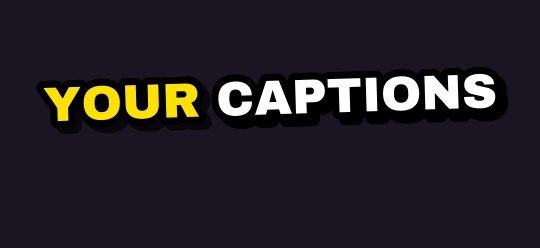
Ten caption styles, plus Auto
Rendered by the same engine that burns your clips. Pick up to four on one job.

Finish it in Studio
Type a picture, a voiceover, an original music track or a sound effect, and Studio adds it to your clip's timeline. One export, captions burned in. Every account gets 5 free AI generations a day through Black Friday, November 27.
What you get
| Free plan | Your first video is free, up to 60 minutes long. Then 1 hour of video every month, topped up monthly (it never stacks); 720p previews after your first job |
| Links | YouTube videos, Twitch and Kick past broadcasts, up to 12 hours long |
| Uploads | Any video file up to 2 GB, or pick one from Google Drive or Dropbox |
| Shapes | 9:16 for TikTok, Shorts and Reels; 1:1 for the feed; 16:9 for YouTube |
| Captions | 10 word-by-word styles plus Auto; up to 4 styles on one job |
| Watermark | Free and pay-as-you-go clips carry a small legit2clip.com mark; Pro removes it |
Questions
Can libraries use it for every event?
Yes. If the events go up on YouTube, connect the channel and each new one is clipped with your saved settings.
What languages work?
Captions work in English, Spanish, Portuguese, French, German, Russian, Czech, Arabic and Hindi, or let it detect the language.