How it works
Bring a video
Upload a file up to 2 GB, pick one from Google Drive or Dropbox, or paste a Twitch or Kick VOD.
Pick the shape
9:16 for TikTok, Shorts and Reels, 1:1 for the feed, or keep 16:9 for YouTube.
Get clips
Each clip comes back reframed and captioned, ready to post.
The crop follows the speaker
It finds the person on screen through the clip and moves the crop with them, so someone walking across a stage stays in frame instead of drifting out of a fixed center crop.
Slides and screens stay whole
Talks and tutorials cut to slides and screen shares. When one fills the frame, the clip shows the whole slide rather than a slice from the middle, then goes back to the speaker.
Gaming streams
For streams with a webcam box over the game, tick Streamer layout: the cam goes on top and the game below.
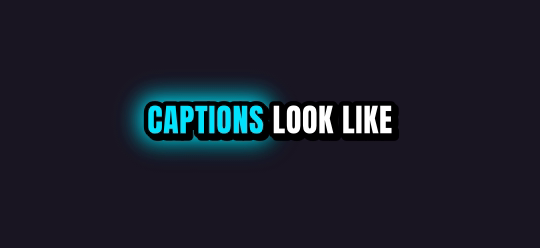
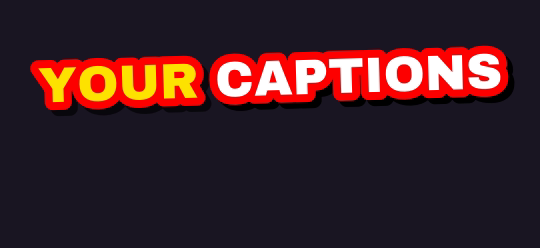
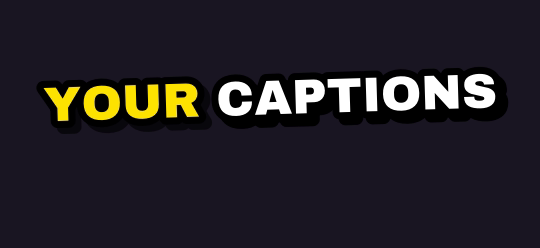
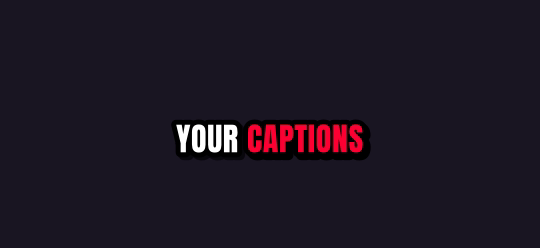
Ten caption styles, plus Auto
Rendered by the same engine that burns your clips. Pick up to four on one job.
What you get
| Free plan | 5 hours of video every month, topped up monthly (it never stacks); 720p previews after your first job |
| Links | Twitch and Kick past broadcasts up to 12 hours long |
| Uploads | Any video file up to 2 GB, or pick one from Google Drive or Dropbox |
| Shapes | 9:16 for TikTok, Shorts and Reels; 1:1 for the feed; 16:9 for YouTube |
| Captions | 10 word-by-word styles plus Auto; up to 4 styles on one job |
| Watermark | Free and pay-as-you-go clips carry a small legit2clip.com mark; Pro removes it |
Questions
What shapes can I get?
9:16 vertical, 1:1 square, or 16:9 landscape.
Are captions included?
Yes, burned in word by word: 10 styles or Auto, and you can turn them off.
How long can my video be?
Twitch and Kick VODs up to 12 hours; uploads up to 2 GB.
Is it free?
5 hours of video every month are free when you sign in. Your first job is full quality; after that free clips are 720p previews with a legit2clip.com watermark, and any clip unlocks clean in full HD for 40 credits.