How it works
Bring the recording
Upload a lecture capture, Zoom or Teams recording (up to 2 GB, or from Google Drive or Dropbox), paste a YouTube link, or connect the channel where lectures go up.
Keep slides readable
Square or landscape keeps slide text whole; vertical suits a lecturer on camera. Educational captions are made for this.
Check and share
Read the captions back and fix any technical term it misheard; it remembers your corrections. Post with a link to the full lecture or the course sign-up.
What lecture clips are for
- A preview that makes students want the full lecture or the next one.
- A course trailer built from real teaching, not a script.
- A department or program page that shows how a teacher actually teaches.
- Revision clips: one concept, under a minute and a quarter.
Students on camera
Clips are picked from what is said, and the speaker is kept in frame. If students appear or speak in the recording, follow your school's media policy before posting. For internal recordings, tick Private processing so the whole job runs only on our own servers, at twice the price.
What a lecture costs
10 credits per video plus 4 per minute (1 credit is 1 cent). A 50-minute lecture is 210 credits ($2.10); a 90-minute seminar 370 ($3.70). Pro is $19 a month with 3,500 credits and takes half off, enough for about 33 fifty-minute lectures. Your first video is free, up to 60 minutes long.
| Video length | Price | In dollars |
|---|---|---|
| 1 hour (fits the free plan) | 250 credits | $2.50 |
| 4 hours | 970 credits | $9.70 |
| 5 hours | 1,210 credits | $12.10 |
| 8 hours | 1,930 credits | $19.30 |
Base price for one video. Pro takes half off. Each extra caption style adds 25 credits, and the dashboard shows the exact price before anything runs.
A semester of lectures, worked through
Two 75-minute lectures a week for 14 weeks is 28 lectures. Each costs 310 credits ($3.10), so the semester comes to 8,680 credits ($86.80); Pro takes half off every video. Your first lecture is free up to 60 minutes, and the free plan covers 1 hour of video every month after that.
Recording tips that make better clips
- A lapel or headset microphone: clips are picked from the transcript, so clear speech matters more than the camera.
- Keep the camera on the lecturer, not the whole room.
- Board work or slides: choose landscape or square so the writing stays readable.
- Repeat students' questions out loud: the answer then makes sense on its own in a clip.
Teaching moments, clipped
Explanations from recorded talks, clipped and captioned by legit2clip and posted as Shorts on our YouTube channel. Each one teaches one thing completely and links the full talk.
- To see the whole talk, watch the originals: "Splunk" by Gared Seats; "The exhaust emissions scandal" by Daniel Lange and Felix Domke; "Breaking DRM in Polish trains" by Redford, q3k and MrTick.
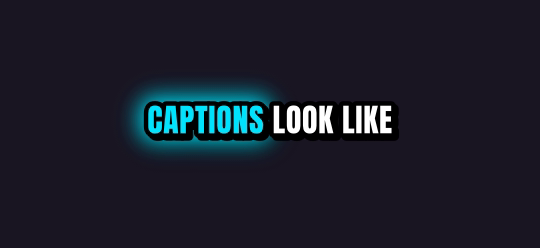
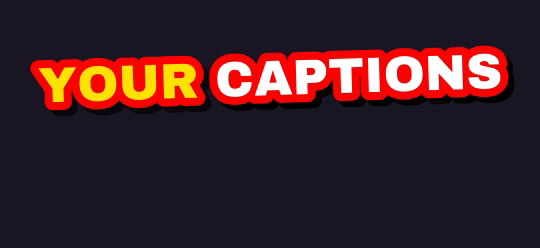
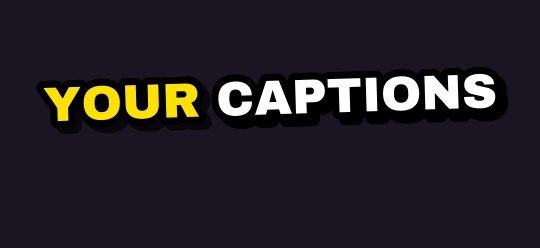
Ten caption styles, plus Auto
Rendered by the same engine that burns your clips. Pick up to four on one job.

Finish it in Studio
Type a picture, a voiceover, an original music track or a sound effect, and Studio adds it to your clip's timeline. One export, captions burned in. Every account gets 5 free AI generations a day through Black Friday, November 27.
What you get
| Free plan | Your first video is free, up to 60 minutes long. Then 1 hour of video every month, topped up monthly (it never stacks); 720p previews after your first job |
| Links | YouTube videos, Twitch and Kick past broadcasts, up to 12 hours long |
| Uploads | Any video file up to 2 GB, or pick one from Google Drive or Dropbox |
| Shapes | 9:16 for TikTok, Shorts and Reels; 1:1 for the feed; 16:9 for YouTube |
| Captions | 10 word-by-word styles plus Auto; up to 4 styles on one job |
| Watermark | Free and pay-as-you-go clips carry a small legit2clip.com mark; Pro removes it |
Questions
What languages work?
Captions work in English, Spanish, Portuguese, French, German, Russian, Czech, Arabic and Hindi, or let it detect the language.
Can it clip every lecture automatically?
If your lectures go up on a public YouTube channel, connect it once on the dashboard and every new one is clipped by itself.
Does it work with slides?
Yes. Choose square or landscape so slide text isn't cropped.
How long can a lecture be?
Up to 12 hours from a YouTube, Twitch or Kick link, or a file up to 2 GB.
Is the first lecture free?
Yes, your first video is free, up to 60 minutes long. After that the free plan covers 1 hour of video a month.