How it works
Get the video file
Use your original export if you still have it. If not, YouTube Studio can download your own upload (Content, then the video's options menu, then Download), though that copy may be lower resolution than the original.
Upload it
Upload the file (up to 2 GB) or pick it from Google Drive or Dropbox. The price shows before anything runs.
Pick clips and captions
Choose how many Shorts, 9:16, and up to four caption styles to test against each other.
Post with a link back
When you upload each Short in YouTube Studio, set the full video as its Related video, so one tap takes a viewer from the Short to the whole thing.
Why Shorts from your own long videos work
A Short reaches people who would never click a 40-minute video. If it links back to that video, the ones who want more have a way in. That's how we post ours: every clip from a talk links the whole talk.
What it does to each clip
- Finds moments that make sense without the rest of the video.
- Starts and ends each clip on a whole sentence.
- Keeps the speaker in frame when it reframes a wide shot to vertical.
- Burns in karaoke-style captions, which matter because many people watch Shorts with the sound off.
- Never puts the same sentence in two clips.
What it costs
10 credits per video plus 4 per minute (1 credit = 1 cent). A 40-minute video is 170 credits, $1.70, and the free plan covers 5 hours of video every month.
| Video length | Price | In dollars |
|---|---|---|
| 1 hour | 250 credits | $2.50 |
| 4 hours | 970 credits | $9.70 |
| 5 hours (fits the free plan) | 1,210 credits | $12.10 |
| 8 hours | 1,930 credits | $19.30 |
Base price for one video. Pro takes half off. Each extra caption style adds 25 credits, and the dashboard shows the exact price before anything runs.
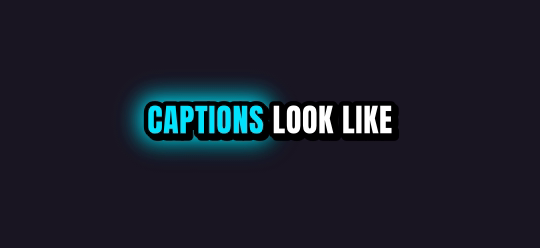
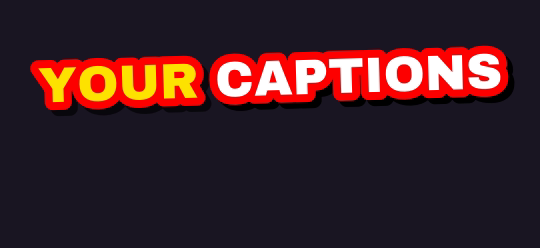
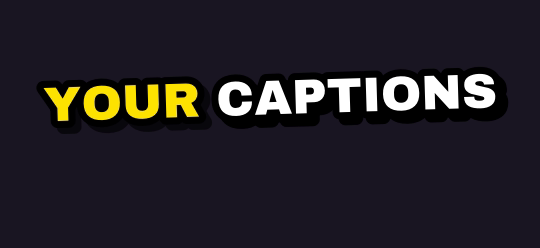
Ten caption styles, plus Auto
Rendered by the same engine that burns your clips. Pick up to four on one job.

What you get
| Free plan | 5 hours of video every month, topped up monthly (it never stacks) |
| Links | Twitch and Kick past broadcasts up to 12 hours long |
| Uploads | Any video file up to 2 GB, or pick one from Google Drive or Dropbox |
| Shapes | 9:16 for TikTok, Shorts and Reels; 1:1 for the feed; 16:9 for YouTube |
| Captions | 10 word-by-word styles plus Auto; up to 4 styles on one job |
| Watermark | Free and pay-as-you-go clips carry a small legit2clip.com mark; Pro removes it |
Questions
Can I paste a YouTube link?
Not yet. Upload the file, or pick it from Google Drive or Dropbox.
Can I clip someone else's YouTube video?
Only if you have the rights or the creator's permission. Credit them and link the original.
Is it free?
5 hours of video every month are free when you sign in with Discord. Free clips carry a small legit2clip.com watermark; Pro ($19 a month) removes it.
Which caption styles are there?
Ten styles plus Auto. See them on the caption styles page.